A $200 all-in-one comfort gadget that handles temperature, lighting, and sound feels like a shortcut. Three functions in one device, one app, done.
But the Ecobee Smart Thermostat alone saves homeowners an average of $215 per year on energy bills. A Philips Hue starter kit runs $134.99 for three bulbs and a bridge. Pair those two with any $50 smart speaker and the total comes in under $450. Each piece outperforms the combined gadget at its own job.
This article is for remote workers spending 8+ hours a day inside a home office, apartment, or studio. The people who care most about comfort at home, and who have the most to lose when a bundled device underdelivers on each of its promises.
What These Smart Comfort Gadgets Combine and What Gets Diluted
The “viral home comfort gadget” category covers devices that merge smart temperature regulation, adaptive lighting, and ambient noise control into a single unit. They connect through Wi-Fi, work with Google Home or Amazon Alexa, and claim to learn daily habits over time.
Some run white noise or rain sounds. Others adjust color temperature on built-in LEDs. A few track humidity and respond to external weather data.
The pitch sounds efficient. One device on a nightstand or desk replaces three. One app controls the room’s entire atmosphere.
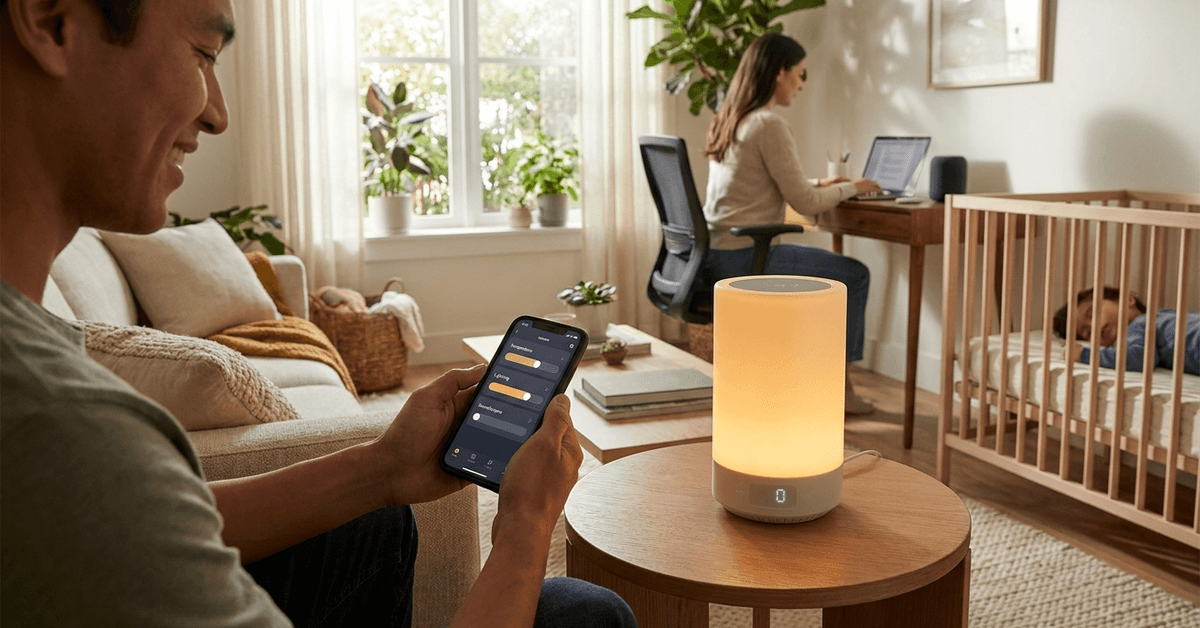
Three Functions That Keep Getting Bundled Together
The temperature component typically relies on a small built-in sensor, sometimes paired with a fan or a heating element. Compare that to a dedicated smart thermostat like the Nest Learning Thermostat at $279.99, which connects directly to HVAC systems, uses room sensors placed throughout the house, and adjusts airflow at the source.
The lighting piece is usually a single LED panel with tunable color temperature. A full Philips Hue setup gives 16 million colors, Zigbee-based reliability that doesn’t clog your Wi-Fi, and placement flexibility across multiple rooms.
The sound function is the closest to delivering on its promise. White noise and ambient rain loops do not need premium hardware. But a Sonos Era 100 or even a $30 Echo Dot will produce better audio quality for background sound than a gadget splitting its processing power across two other tasks.
Why Separate Smart Home Devices Beat the All-in-One Bundle
I would pick a $300 three-device starter kit over a $200 bundled comfort gadget every time, and the reason comes down to one word: replaceability.
An all-in-one device locks three functions into one product lifecycle. A starter kit of separate devices means any single piece can be upgraded, swapped, or returned without losing the other two.
The Cost Comparison That Matters
The pricing gap between bundled comfort gadgets and separate dedicated devices deserves a clear look.
| Feature | All-in-One Comfort Gadget ($150-$250) | Separate Devices ($300-$450 total) |
|---|---|---|
| Temperature control | Built-in sensor, no HVAC connection | Smart thermostat with room sensors, direct HVAC control |
| Lighting | Single LED panel, limited placement | Multiple bulbs, any room, 16 million colors |
| Sound | Built-in speaker, shared processing | Dedicated speaker, better audio, voice assistant |
| Upgradeability | Replace entire unit | Swap one piece at a time |
| Ecosystem compatibility | Often locked to one app | Matter 1.3 standard allows cross-brand pairing |
The separate setup costs more upfront. But the thermostat alone can pay for itself within 12 to 18 months through energy savings.
Compatibility Breaks First
The Matter standard, backed by Apple, Google, Amazon, Samsung, and over 550 companies, became the new default for smart home devices in 2026.
Most new devices ship with Matter certification, so a Philips Hue bulb can talk to a Google Nest thermostat without friction. Many all-in-one comfort gadgets skip Matter entirely. They use proprietary apps that work fine in isolation but cannot trigger automations across other devices.
A thermostat that drops the air conditioning when the comfort gadget’s temperature sensor reads high? That cross-device logic requires open protocols. Proprietary ecosystems do not support it.
Does “It Learns Your Habits” Mean Anything Practical?
Almost every all-in-one comfort gadget advertises adaptive learning. The device watches when the room gets occupied, tracks preferred temperatures, and adjusts over time. On paper, this sounds like the entire selling point.
Manual Presets Do the Same Job in Ten Minutes
I think the “learns your habits” marketing claim falls apart for remote workers, and the Ecobee thermostat’s manual scheduling feature shows exactly why. A remote worker’s Tuesday looks different from their Thursday.
Meetings shift. Some days end at 5 PM, others at 9 PM. The algorithm needs consistency to learn, and most people’s days are too variable to feed it useful patterns.
A simple approach works better: set two or three manual presets. “Focus mode” drops the lights to cool white and raises the thermostat slightly. “Wind-down mode” shifts to warm amber and lowers the temperature.
Who Should Still Consider an All-in-One Comfort Device
The bundled gadget does have a real audience, and I would point it toward two specific groups.
First: renters who cannot install a smart thermostat. A thermostat swap requires access to the home’s HVAC wiring. Renters in apartments often cannot touch that system. A comfort gadget with a built-in fan, ambient sound, and adjustable lighting can sit on a desk and improve the immediate workspace without any installation.
Second: anyone who wants one device and zero configuration. Some people do not want to compare Matter compatibility charts or set up Zigbee bridges. A single gadget that covers “good enough” temperature sensing, decent ambient light, and basic white noise might suit someone who cares about comfort but not about tech specs.
The groups who should probably skip the all-in-one:
- Homeowners who can install a dedicated thermostat and recoup energy savings
- Anyone with an existing smart speaker or voice assistant already in the room
- Tech-comfortable buyers who are willing to spend 20 minutes setting up automations through Google Home or Alexa
Those buyers will end up frustrated by the gadget’s limitations within a month. The single LED panel will feel inadequate. The speaker quality will disappoint. And the temperature sensor will read the shelf it sits on, not the room.
Smart Home Privacy and the Data Question
Every smart device collects data. Temperature logs, occupancy patterns, and voice commands all pass through servers somewhere. The raw content of this trend glosses over privacy, but it deserves direct attention.
Local Processing vs. Cloud Uploads
Some devices process data locally on the home network. Others upload everything to cloud servers for analysis. The difference matters.
A device that runs locally does not depend on an internet connection and does not send occupancy patterns to a company’s servers.
The Philips Hue Bridge, for example, runs on local Zigbee protocol. Lights still work when the internet drops. Many all-in-one comfort gadgets, especially budget models from lesser-known brands, require constant cloud connectivity. That means:
- Every temperature reading gets uploaded
- Occupancy data (when the room is empty, when someone is present) leaves the home network
- A server outage can disable the gadget entirely
- Privacy policies vary wildly between manufacturers, and few users read them
CE certification in Europe and FCC compliance in the US cover electrical safety. Neither addresses data privacy specifically. Checking whether a device offers local-only operation is worth the five minutes it takes before purchasing.
Questions People Ask About Smart Home Comfort Gadgets
Smart home comfort devices are still new enough that the same questions come up repeatedly. A few answers that might save some time:
- Q: Can a smart comfort gadget replace a smart thermostat? No. A gadget with a temperature sensor reads the air around the device itself. A smart thermostat connects to HVAC systems and controls airflow at the source. The two do very different things despite both measuring temperature.
- Q: Do these devices work without Wi-Fi? Most require Wi-Fi for app control and adaptive features. Some will continue running their last-used settings during an outage, but lose smart functionality. Devices using local protocols like Zigbee tend to handle disconnections more gracefully.
- Q: How long does the “learning” period take for adaptive comfort gadgets? Manufacturers claim one to three weeks for the algorithm to adapt. But that assumes a consistent daily routine. Anyone with a variable schedule may find that manual presets produce better results from day one.
Conclusion
The smart home comfort gadget trend has real momentum, and some of these devices do deliver on their promises for the right buyer. The mistake is assuming a bundled device replaces three separate ones without trade-offs.
For remote workers spending real hours in a home office, those trade-offs show up fast.
The best home setup in 2026 is probably three devices that each do one thing well, connected through an open standard, and controlled with a voice command or a single app routine.